Scattered everywhere
Packs on three drives, downloads, old projects. You know you have the sound — somewhere.
The offline sound library for game developers, sound designers and video editors. Search every sound on your drives by name or by meaning — in English or Arabic — and drag it straight into Unity, your DAW or your timeline.
Soundcer runs on Windows PCs. Open this page on your PC to download it.
 Soundcer
The problem
Packs on three drives, downloads, old projects. You know you have the sound — somewhere.
SFX_0231_v2.wav won’t tell you it’s a door slam. Keyword search only finds what the file name says.
Many tools cap how many local files you can add, or stop working when you’re offline.
Soundcer fixes all three.
✦ Smart search
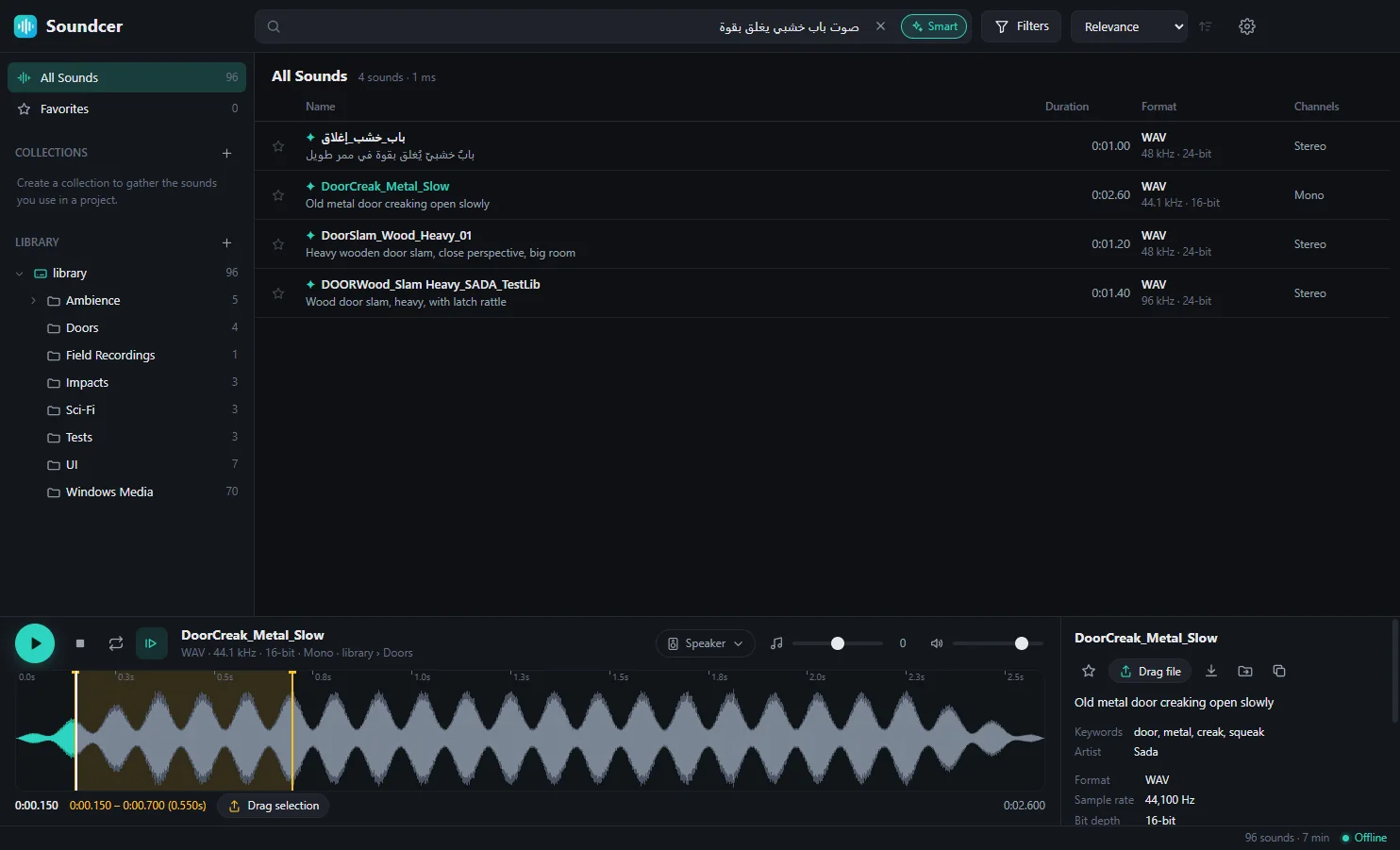
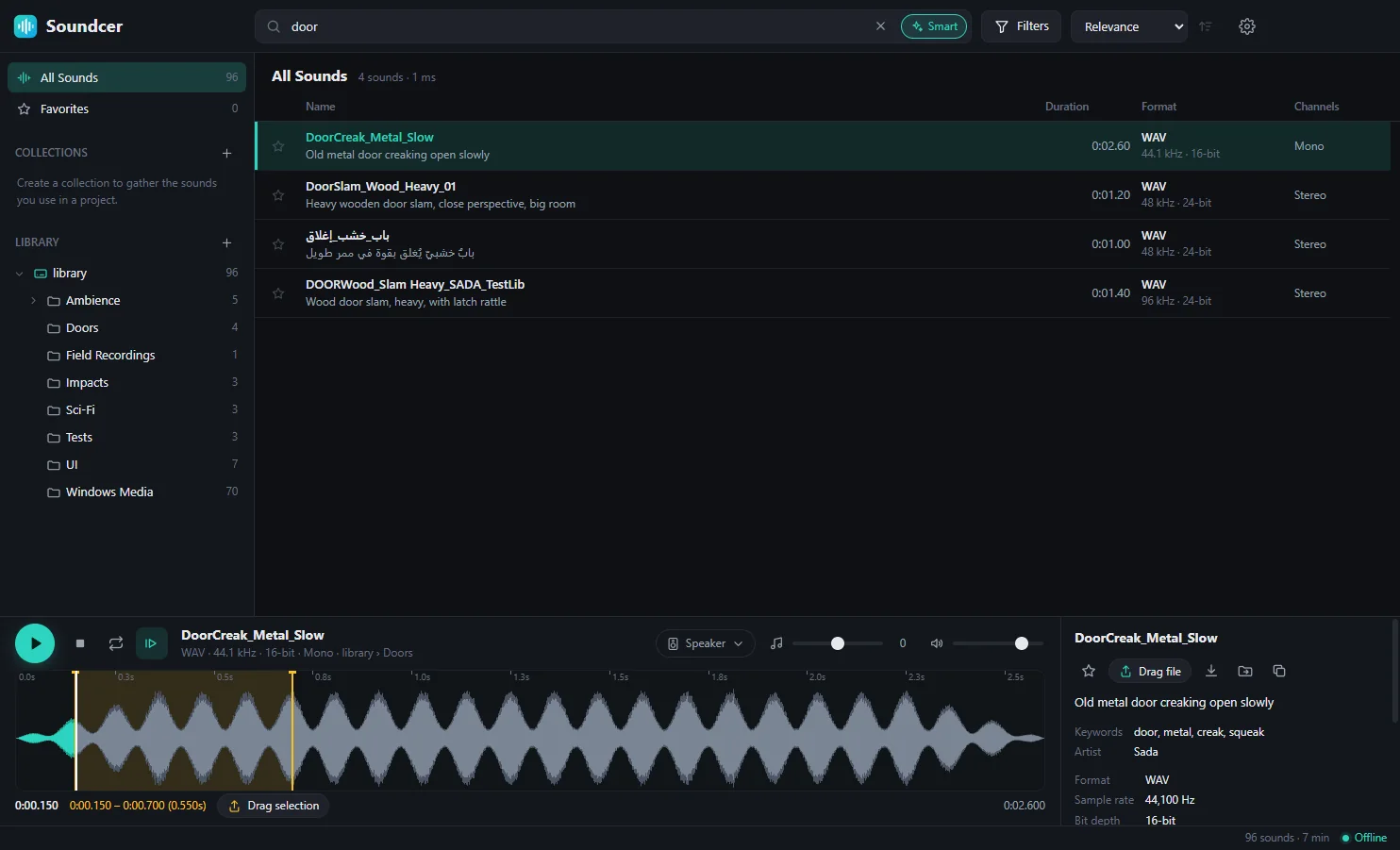
Type what you hear in your head — “heavy wooden door”, “صوت مطر على سقف” — and Soundcer finds matching sounds by meaning, even when the file is named something else. Exact matches still come first.
Drag & drop
Drag any sound into Unity, your DAW, your editor or a folder. Need only part of it? Select that section of the waveform and drag just the clip — Soundcer writes a clean, lossless file for you.
Speaker simulation
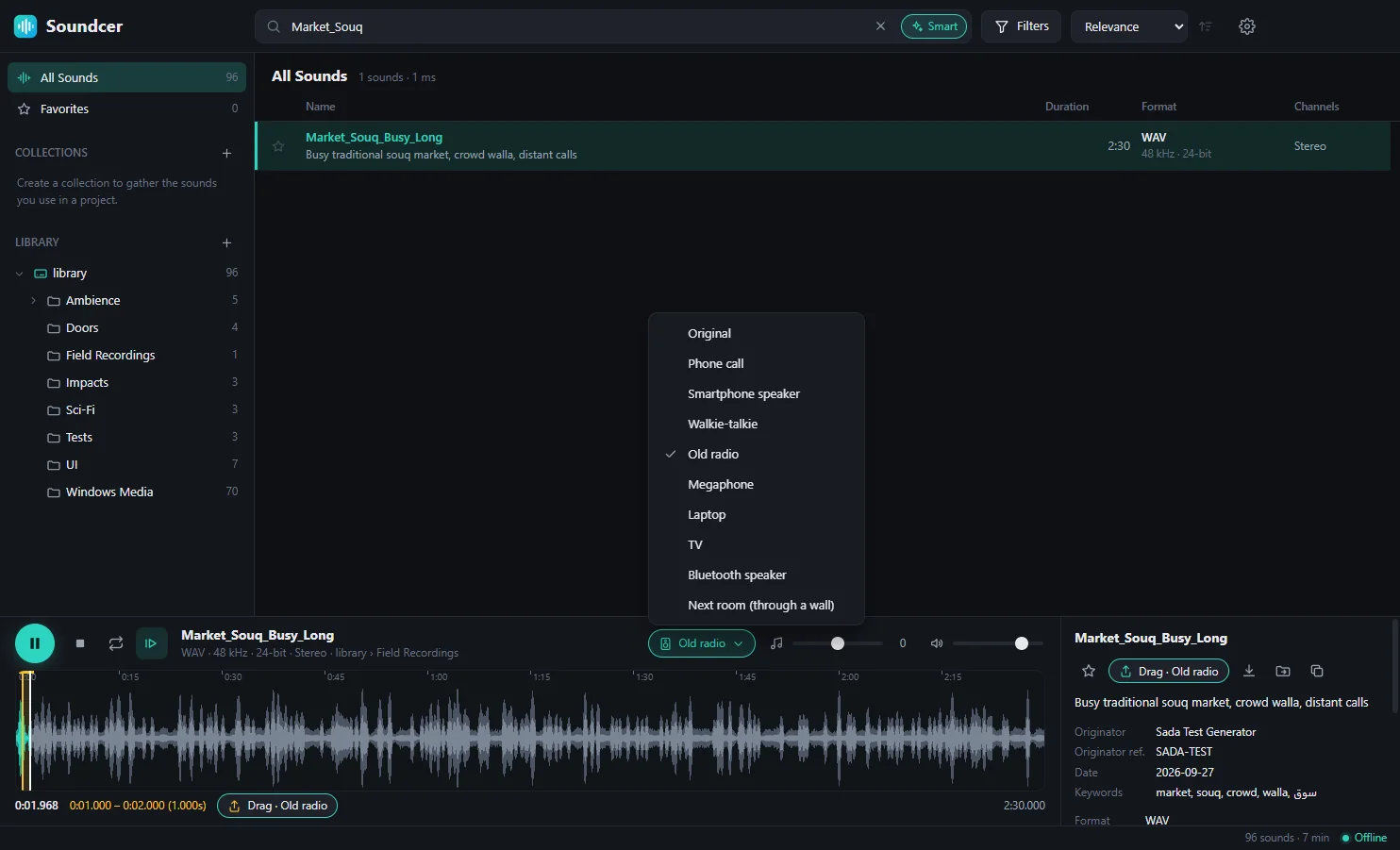
Preview a sound as a phone call, an old radio or from the next room — then drag it out with the effect built in. Ideal for game dialogue, UI sounds and in-world audio.
Built for big libraries
Add as many folders as you like. Soundcer indexes them in the background, watches them for changes and keeps search instant — we tested it with more than 30,000 sounds.
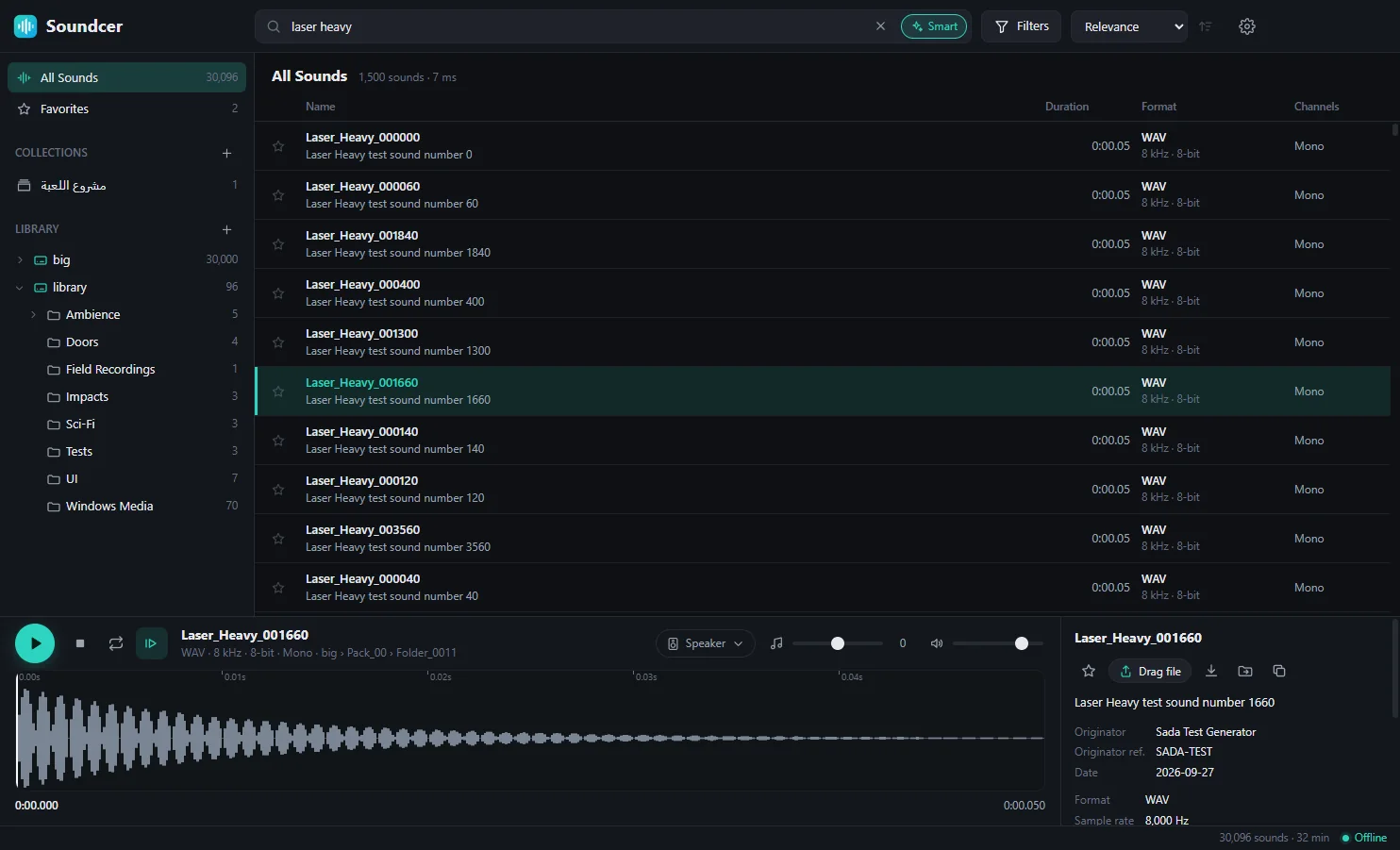
One collection per project, one click to star.
Add words that make sense to you — they’re searchable instantly.
Format, length, channels and sample rate.
Plays the moment you select, with waveform, loop and pitch.
Space, arrows, F, Ctrl + F — never touch the mouse.
New files in your folders appear automatically.
Easy on the eyes, day or night.
Full right-to-left support.
Soundcer blocks all network access. No account, no tracking, no uploads — even the AI behind smart search runs on your own PC.
How it works
Get the zip, right-click it and choose “Extract All”.
Point Soundcer at your sound folders. It indexes them in the background.
Type a word or describe a sound, press Space to listen, drag it into your project.
Yes. It never connects to the internet. Your library, search and smart search all run on your computer.
That blue message appears for new apps that aren’t code-signed yet. Click “More info”, then “Run anyway”. Soundcer doesn’t need administrator rights and never goes online.
Yes. Drag a sound — or just a selected part of it — straight into Unity’s Project window, or set your Assets folder as the quick-export folder.
No. Add as many as your drives hold.
WAV (including BWF, 24/32-bit and RF64), AIFF, MP3, FLAC, OGG and M4A/AAC.
Download the new version and replace the old folder. Your library, favorites and settings are kept.
Not yet. Soundcer runs on Windows 10 and 11 (64-bit).